Sorry for the late post Mr. K and fellow classmates!
Regarding the little quiz last Friday, was it
just me or were you all confused as well?
I honestly did not think that we learnt how and what to
use for those kinds of situations, even with common sense
added to it, it was difficult.
So I can't really help anyone on understanding it.
Although, I did understand the things going on
in yesterday's class. The worksheet that he gave us
was to help us learn how to insert graphs
and how to label it by using information given to you.
Mr. K specified (the post below) us to make a multiplication
table allowing only cell A2 to be a number, while the rest are formulas.
This being the part where absolute cell reference comes to play.
If you guys haven't remembered, absolute cell reference is when you
put dollar signs on either side of the cell name's letter that you want or would
need to be absolute, leaving the number out and is to be repeated
when you click and drag the little blue square in the corner to the desired spots.
Also, we were told to fancy things up with colours and
make a Sheet2 showing all formulas used.
That's all I can think of writing at the moment.
PLEASE remember to read information posts carefully!
And keep our blog neat!
Tuesday, December 9, 2008
Monday, December 8, 2008
SS06 Multiplication Table

Create a multiplication table that provides all answers from 1x1 to 12x12. You may type the number "1" into cell A2 but not ANYWHERE ELSE. You may not type any other numbers into the spreadsheet; every other cell must contain a formula.
Put your first name in cell A1.
Colour the columns or the rows to make the spreadsheet more attractive and easy to read. When you are done "hand in" your assignment by publishing it and leaving a comment here with your name on it.
REMEMBER: You must also create Sheet 2 that shows all the formulas you used.
SS05 Spreadsheet Charts
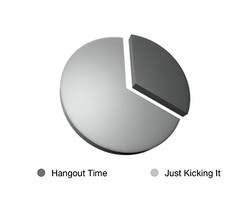
Hand in your spreadsheet chart assignment here.
Photo Credit: I've been doing fun stuff too.... by flickr user Eifion
Friday, December 5, 2008
Spreadsheets Online Quiz
Hand in your published quiz spreadsheets as a comment on this post.
Photo credit: math everywhere... by flickr user thowi

Thursday, December 4, 2008
Today's Class (12/04/2008)
Hi! this is Judith and today, we were in the lab and we did new spreadsheets. The first one was that we had to work with a partner. It was called ss03 Smart Spreadsheet! It was about a teacher grading his students about finding their final mark. We were supposed to solve it if the Assignments, Project and Tests were 30% each or if the Assignments were 30% and the Project was 20% and so on. Then we had to find the Class' Average of each and the final marks.
Then we had to do a second one called ss04 scratch which we just had to it ourselves. It was about a local greenhouse pays double time for any hours over worked per week during summer. Then we had to create a spreadsheet about it which was ss04 scratch that calculates the gross pay for each employee and the total weekly gross pay for the company. Then, theres a 2nd one and its about a rectangle finding its length, width, perimeter and area.
Then we went to tutpup.com to play games and then we were shocked that we had to leave tutpup already because we didn't got a chance to play a game and I think only one of did only and I don't know if we went to tutpup first or we did ss04 scratch afterwards and it was fo homework if you didn't finish but yeah thats what happened to day!
Mr. K told us that at friday which is tommorow, monday and tuesday that we'll be at the lab then at wednesday that we'll have a test about spreadsheets at the classroom!
And we'll just pick the scribe tommorow because I'm not sure who didn't do it yet and did it already!
So see you guys tommorow!
(*sorry if the scribe doesn't make sense its because I don't write good and
that descriptive so just ask one of us in the class if you didn't understand
the scribe tommorow!)
Wednesday, December 3, 2008
here's my spreadsheet 01 homework
URL: http://spreadsheets.google.com/pub?key=pEyEAW8ytQEo3Zw461uD5WQ
this is my homework for today..
(^_^)....cachel
Todays Class
Hi everybody Coralee here tell you what we learned in class today
Today was pretty laid back we first talked about how to properly get a spreadsheet on t the blog an to do that you need to go to share click on publish to the web click publish once your spread sheet is published copy the URL and past it into the assigned spot on the blog Mr. K has set up.
Then we talked about posting to the blog and tags to properly put a post on the blog you need to name your post and have 3 tags your name if you are the scribe you will need scribe or were just asked to you will put BOB and then the last tag will be the unit so it will look like this
Coralee, Scribe, Spreadsheet or BOB instead of scribe depending on what your doing.
Last we were all shocked when he handed out a quiz but it was just about formulas in spreadsheets and how to write them and solve them pretty easy stuff.
e.g.
Add A5 and B7 to find B8 = A5 + B7
Subtract G5 from G6 = G6 - G5
Average G4 to G9 = Average ( G4:G9)
These are some examples of formulas that you will be using in spreadsheets and this is how to solve them lets say A5 is 87 and B7 is 8
so to solve it you would add 87 and 8 to Find B8 in this case it would be 95 so B8 would be 95
Some important symbols you will need to know :
* -this is the multiplication symbol it is located above the eight on your keyboard
= - you will need this to complete your formulas
+ - The plus is for adding of course
- The minus for subtracting
and i don't really know what else to say so hope its helped a little and that is pretty much what we have learned in class over the last week.
Oh and there will also be some slides below this post on today's class
And the next scribe will be Judith
See y'all tomorrow
Monday, December 1, 2008
Spreadsheet Assignment SS02

Hand in your assignment by publishing your Google Doc as a webpage. Copy the (ugly) URL and paste in as a comment here. Make certain your first name is included in your comment here and in cell H1 of your spreadsheet.
IMPORTANT: Make certain you "hand in" the correct assignment as a comment on the correct blog post. This post is for handing in the second assignment on formating.
Spreadsheet Assignment SS01

Hand in your assignment by publishing your Google Doc as a webpage. Copy the (ugly) URL and paste in as a comment here. Make certain your first name is included in your comment here and in cell H1 of your spreadsheet.
